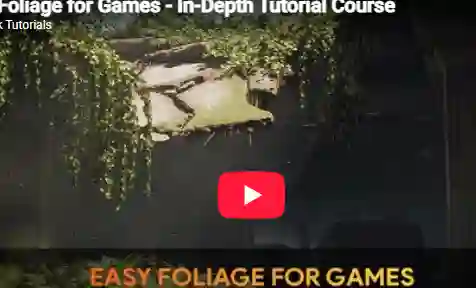
Easy Foliage for Games – In-Depth Tutorial Course
Learn how a professional environment artist works when creating easy and efficient foliage for games. You will learn how to create various types of foliage like trees, shrubs, ivy, grass, plants, and more. Next to this, you will also learn how to create foliage decals, custom leaf, and branch textures and how to place foliage in your environment.
SPEEDTREE, MAYA, AND UNREAL ENGINE 5
Almost all foliage will be created using Speedtree. Next to this, we will also use Maya (however you can also use Blender or Max) and we will set everything up inside Unreal Engine 5. We will also use a bit of Photoshop & Marmoset for our decals and leaf textures.
At the end of this course, you will have a deep understanding of how to create quick and efficient foliage for games. We made sure this tutorial is easy to understand and perfect if you want to quickly jump into foliage creation.
11+ HOURS!
This course contains over 11+ hours of content – You can follow along with every single step – This course has been done 100% in real-time except for the bonus content. However, we have also included the time-lapsed footage in real-time without narration.
We will start by doing our foliage planning and collecting all of our needed textures from Megascans and Textures.com. After that, we will jump right in and make our Ivy plants. We will also set up our foliage material in UE5 and balance out our textures to make our models ready for placement. After this, we will go through the process of creating various types of foliage like Grass, Shrubs, Water Lily’s, Water plants, and more.
We will then take a break from the foliage creation and go over how to create custom leaf and branch textures using photogrammetry and Speedtree. After this, we will finish this course by creating our trees and placing everything in our level. And finally, we will have some extra bonus content where you see me designing a level using the foliage we created.
SKILL LEVEL
This game art tutorial is perfect for students who have familiarity with 3d Modeling tools and Unreal Engine – Everything in this tutorial will be explained in detail. However, if you have never touched any modeling or engine tools before we recommend that you first watch an introduction tutorial of those programs (you can find many of these for free on YouTube or paid on this very website)
TOOLS USED
Speedtree 9
Maya 2022
Unreal Engine 5
Marmoset Toolbag 4
Photoshop
Downloads Section Below:
show love to dev by purchasing if you can afford it
IF THE LINKS ARENT WORKING, THEN PLEASE ACT LIKE A GROWN UP AND MESSAGE ME/ COMMENT HERE OR ON DISCORD AND I WILL UPDATE THESE LINKS QUICKLY! MAKE SURE YOU DOWNLOADING PROPER FILE WITH PROPER EXTENSION LIKE .ZIP OR .RAR
Filename: Skillshare – Easy Foliage for Games using SpeedTree Unreal Engine by FastTrackTutorials.zip.001
Official Discord : https://discord.gg/M2kqB4M9tG
USE IDM FOR FASTER DOWNLOAD.
https://send.now/7m12bvldirsj
https://send.now/c5hwhs32beyx
https://send.now/csq4izyuplzi
https://send.now/azvmy0ujt22t
https://send.now/5zdnoa46ld8u
must download all files into same folder then extract part 1 using 7zip only. dont rename any file!
USE ANY FREE VPN IF U CANT ACCESS DOWNLOAD SITE OR DOWNLOAD FAILS 🙂
SOMETIMES CLICKING DOWNLOAD BUTTONS ON SITES WILL OPEN MANY ADS SO CLOSE THEM, DOWNLOAD THE ACTUAL FILE AND MAKE SURE FILESIZE SHOWN ON DOWNLOAD SITE AND FILENAME MATCHES! IF ITS DIFFERENT OR LOW IN FILE SIZE THEN ITS A FAKE FILE, DONT RUN IT!
MIRRORS:
for mega and g drive links – contact admin.