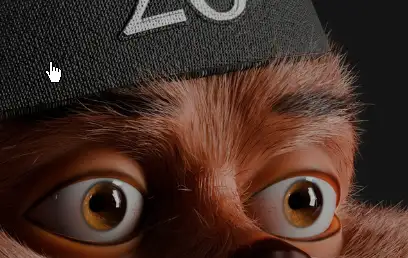
Blender’s new hair Curve System offers many possibilities but requires a certain level of technical skills to use effectively. Hairbrick bridges that gap allowing artists of any skill level to work efficiently and effectively to create any hairstyle you hope to make; ranging from basic hairs to feathers and stylized hair
Watch tutorials here : Hair Brick YouTube Playlist
Features
Hair Management
Accessively manage multiple hairs; control visibility, and easily select. Duplicate, join, and work efficiently.
Global Control for Child Hair and Hair Radius
Better management of child (Simple and interpolated ) hair and hair radius.
Curve Selection Set
a new feature added in Hairbrick 4.0 that allows you to store your curve selection and also you that selection as a mask if you want to have more advanced control
Hair Modifiers
Hair Brick ships with a growing and improving list of hair modifiers. with a stack-based approach to adding the modifiers and an intuitive and clean UI, you will work faster and have a nice artistic experience.
etc
Upgraded Haircut System: Generate dynamic haircuts using curves drawn on your scalp object, with full control over width, tilt, curvature, and UV management.
Enhanced Hair Simulation: Features proper collision that allows realistic hair interaction with other body objects. Simulation defaults have also been fine-tuned for more realistic baseline movements and reactivity.
New Masking Systems: Integrated seamlessly into every modifier, featuring standard masks (noise, spline parameter, inside mesh, image, and attribute masks) for localized, brush-on control over your styles.
Glove ID Select: A highly specific selection set tool that allows you to grab and target previously unselectable generated hairs—perfect for precise edits, deleting, or transformations via attribute masks.
Stability Improvements: Upgraded UV info usage for point distribution, and reworked modifiers for much more stable animations with fewer glitches, especially when clumping.
Workflow & UI Tweaks: Side buttons for “masks” are now introduced, and the user interface for drawing float curves has been upgraded with more visual parameters for easier tweaking
LATEST AS OF July 2026
Downloads Section Below:
show love to dev by purchasing if you can afford it
IF THE LINKS ARENT WORKING, THEN PLEASE ACT LIKE A GROWN UP AND MESSAGE ME/ COMMENT HERE OR ON DISCORD AND I WILL UPDATE THESE LINKS QUICKLY! MAKE SURE YOU DOWNLOADING PROPER FILE WITH PROPER EXTENSION LIKE .ZIP OR .RAR
Filename: Hair Brick Pro v2026.5.1 aeBlender.zip [24.5 MB]
Official Discord : https://discord.gg/M2kqB4M9tG
USE IDM FOR FASTER DOWNLOAD.
https://send.now/nk5ups5ktu6j
USE ANY FREE VPN IF U CANT ACCESS DOWNLOAD SITE OR DOWNLOAD FAILS 🙂
SOMETIMES CLICKING DOWNLOAD BUTTONS ON SITES WILL OPEN MANY ADS SO CLOSE THEM, DOWNLOAD THE ACTUAL FILE AND MAKE SURE FILESIZE SHOWN ON DOWNLOAD SITE AND FILENAME MATCHES! IF ITS DIFFERENT OR LOW IN FILE SIZE THEN ITS A FAKE FILE, DONT RUN IT!
MIRRORS:
for mega and g drive links – contact admin.