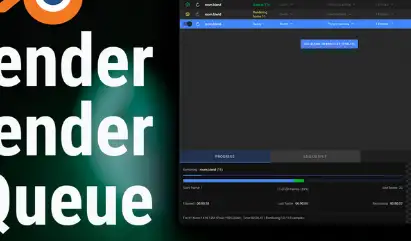
Render smarter. Automate your workflow.
BRQ is a powerful, artist-friendly desktop app that
automates rendering.
Latest version : 5.2.3
BRQ rendering automation showcase
Queue shots, switch scenes and cameras, monitor remotely, and let your machine shut down when done.
Read the full documentation.
BRQ Features
Multiple Queues (Pro)
Manage separate render queues for different projects or shots.
Interface designed to match Blender for artists
Scene Selection
Select exactly which scenes should be included in your render batch.
Scene Selection
Camera Selection (Pro)
Choose one or multiple cameras per scene for multi-shot workflows.
Camera Selection
View Layer Selection (Pro)
Render specific view layers to file.
View Layer Selection
Output Presets (Pro)
Save engine, samples, format as presets and reuse them instantly.
Output Presets
Full-Res Live Preview
Quick look at rendered frame in real time at full resolution.
Interface designed to match Blender for artists
Remaining Time Estimate
Accurate time predictions for the current render.
Remaining Time
Remote Monitoring Web App (Pro)
Track your render queue — wherever you are.
etc
Downloads: show love to dev by purchasing if you can afford it
IF THE LINKS ARENT WORKING, THEN PLEASE ACT LIKE A GROWN UP AND MESSAGE ME/ COMMENT HERE OR ON DISCORD AND I WILL UPDATE THESE LINKS QUICKLY! MAKE SURE YOU DOWNLOADING PROPER FILE WITH PROPER EXTENSION LIKE .ZIP OR .RAR
Filename:Blender Render Queue v5.2.3 Pro_vfxMed.rar [363.8 MB]
Official Discord : https://discord.gg/M2kqB4M9tG
USE IDM FOR FASTER DOWNLOAD.
https://send.now/chtjhf4rd0b3
USE ANY FREE VPN IF U CANT DOWNLOAD THE FILE OR GET AN ERROR LIKE INTERNAL SERVER 500 ERROR!
ONLY USE BRAVE BROWSER TO DOWNLOAD WITHOUT ADS AND QUICKLY! GUYS MAKE SURE TO AVOID ADS!! DONT DOWNLOAD ADS, KEEP AN EYE ON SPAMMY WEBSITES THAT WILL OPEN WHEN YOU CLICK ON DOWNLOAD LINK!
MIRRORS:
for mega and g drive links – contact admin.